What is a Database Server?
A DB server is just a database process (mysqld, mongod) running in an EC2 instance. It exposes a port through which outside requests can communicate — default 3306 for MySQL, configurable at installation.
The d in mysqld signifies it’s a daemon process — it keeps running in the background of a specific instance.
Vertical Scaling
Increasing the RAM and disk of the EC2 instance the DB server resides on. No change to the mysqld process itself.
Limitation — there is a physical limit to how large an instance can get. Vertical scaling can only go so far.
Horizontal Scaling
Read Replicas (scale reads)
- Add another DB server by launching another EC2 instance with a
mysqldprocess - Configure a replication strategy from master to replica — eventually all data becomes consistent
- Allows more reads across the system, while each individual DB server still has the same physical limits
Read replicas don’t help with high write throughput — for that, you need sharding.
Sharding and Partitioning (scale writes)
Add another DB server, but this time split the data across both:
- Each split of the data is called a partition
- Each DB server holding a partition is called a shard
- Both shards can handle reads and writes independently
- No replication strategy needed — each shard contains a mutually exclusive dataset
In other words: the DB server is sharded, the data is partitioned.
Data Partitioning
d1 + d2 + d3 + d4 + d5 = total data
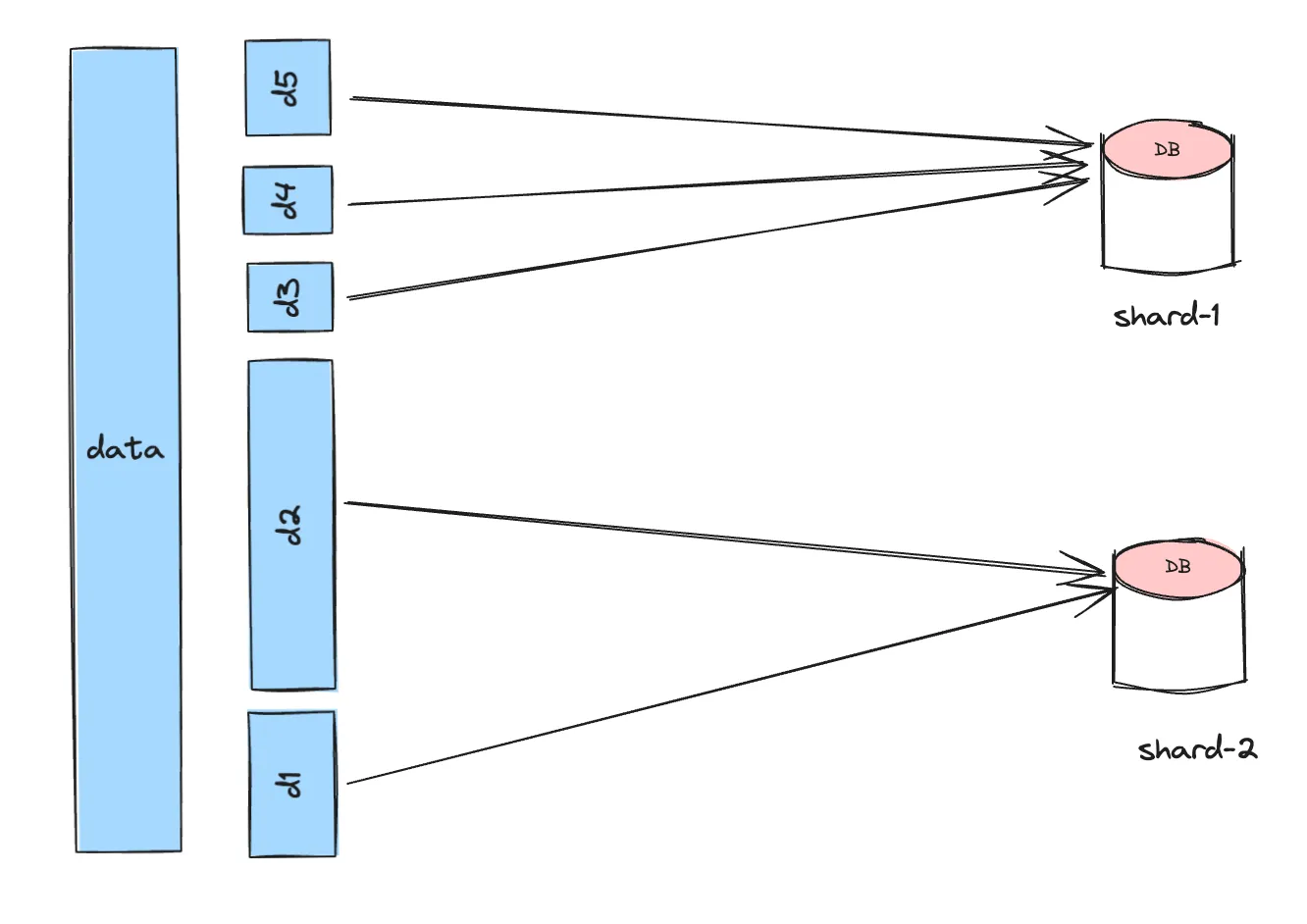
Each partition maps to a shard. If a partition becomes hot and frequently accessed, it can be moved to a different shard.
Categories of Partitioning
Horizontal Partitioning — operates at the document or row level. Split rows across shards based on a key (e.g. user ID ranges).
Vertical Partitioning — operates at the column or table level. Split columns or entire tables across shards based on access patterns.
The right choice depends on access pattern, load, and use case.
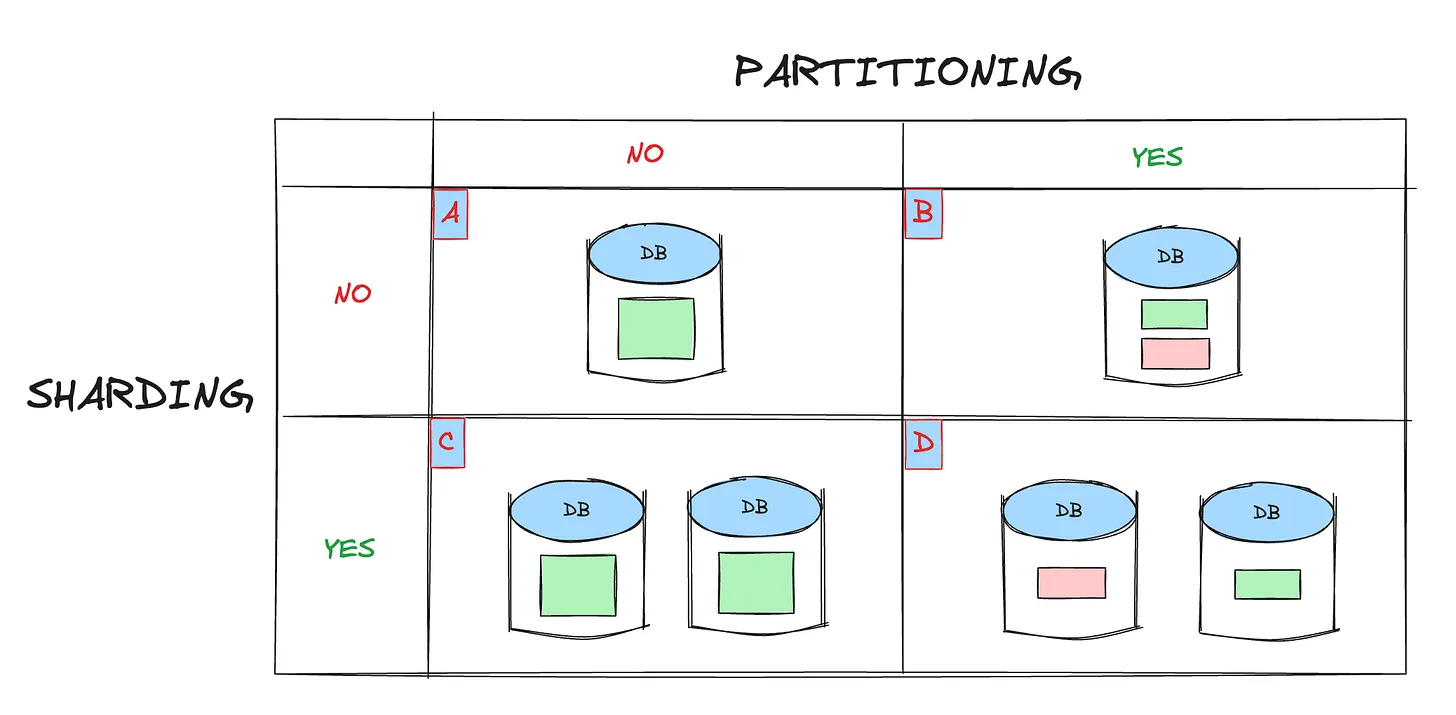
The Four Configurations
A — Single DB server in a single EC2 instance. The baseline.
B — Single DB server in a single EC2 instance, with logical partitioning (e.g. two separate databases). Same machine, different logical separation.
C — Single DB server running across two EC2 instances, both with the same data. This is the read replica use case.
D — Single DB server running across two EC2 instances, with data shared across both instances. This is true sharding.
Advantages of Sharding
- Handle higher reads and writes
- Increase overall storage capacity
- Higher availability
Disadvantages of Sharding
- Operationally complex
- Cross-shard queries are extremely complex — a lot of thought needs to go into how to partition the data upfront